


Full Motion Display Wall Mount Bracket for 32 to 55 Inch Model : VTM-FM-44
Original price was: $2,500.00.$1,500.00Current price is: $1,500.00.
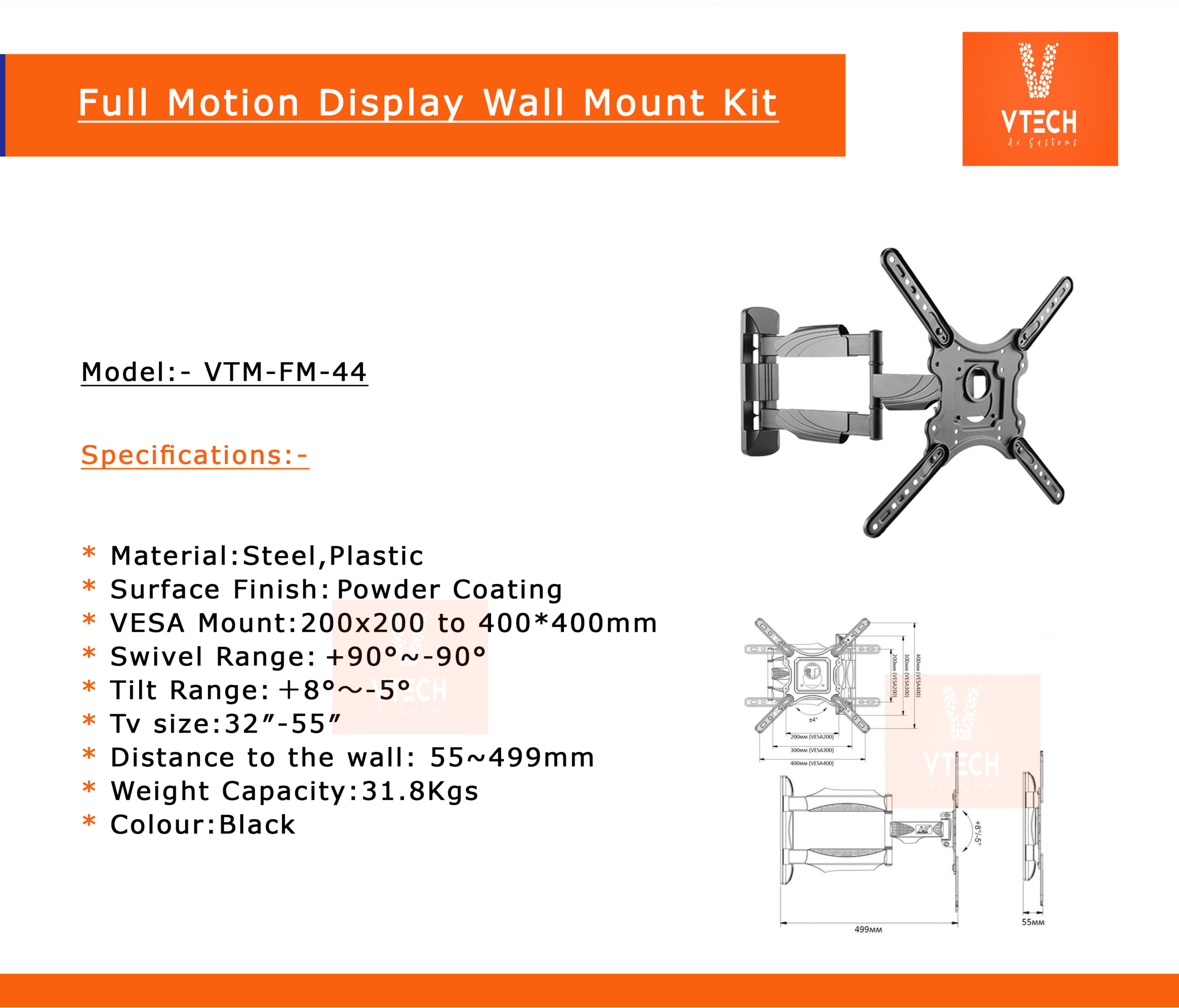
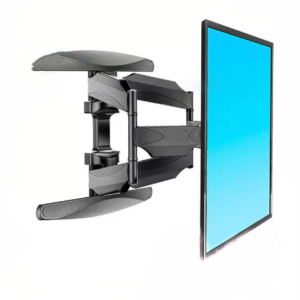
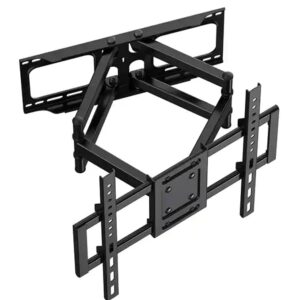
The VTM-FM-44 is a full-motion wall mount bracket designed for flat-panel displays between 32 and 55 inches. It allows for maximum adjustability: you can tilt, swivel (pan left/right), and extend or retract the screen away from the wall. It is suited for conference rooms, classrooms, retail displays, or home theatre setups where flexibility of viewing angle is important. According to the manufacturer (VTech AV Systems), it is listed under their “Display Full Motion Wall Mount” category. (vtechavsystems.com)
Description
A full motion display wall mount bracket for 32 to 55-inch TVs allows for versatile positioning, including tilting, swiveling, and extending away from the wall. This type of mount is ideal for optimizing viewing angles in various room setups, providing flexibility in adjusting the screen to reduce glare or accommodate different seating arrangements. When selecting a mount, ensure it supports your TV’s weight and VESA mounting pattern for a secure fit.
Overview
The VTM-FM-44 is a full-motion wall mount bracket designed for flat-panel displays between 32 and 55 inches. It allows for maximum adjustability: you can tilt, swivel (pan left/right), and extend or retract the screen away from the wall. It is suited for conference rooms, classrooms, retail displays, or home theatre setups where flexibility of viewing angle is important. According to the manufacturer (VTech AV Systems), it is listed under their “Display Full Motion Wall Mount” category. (vtechavsystems.com)
Key Specifications
Here are the most important technical specs as per the available sources:
- Supported Screen Sizes: 32″ to 55″. (vtechavsystems.com)
- Weight Capacity: Up to 35 kg (about 77 lbs). (5.imimg.com)
- Mounting Standard / VESA Compatibility: While the exact supported VESA hole patterns are not fully detailed in the source I found, usually for 32-55″ mounts, you’d expect support for common VESA sizes (for example, 100×100 up to maybe 400×400 mm). (You’d want to verify exact supported patterns with the retailer or spec sheet.)
- Full Motion Features:
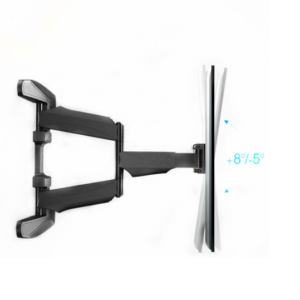
- Tilt up/down to adjust the vertical viewing angle.
- Swivel (left/right) so you can view from different parts of a room.
- Extension: Arm can extend outward from the wall and retract back when not needed.
- Build & Construction: Durable metal brackets, reinforced joints so that the mount remains stable even when fully extended. Probably powder-coated or similarly treated finish for durability.
- Finish / Appearance: Typically neutral color (e.g. black or dark grey) to match most displays, with a clean look so it doesn’t draw attention.
Benefits & Applications
Using a full motion mount like the VTM-FM-44 brings a number of advantages:
- Flexibility in Viewing Angle: Being able to tilt or swivel helps reduce glare from windows or lighting, and allows people in different parts of the room to see comfortably.
- Space Optimization: When you’re not using the display, you can push it back toward the wall to save space.
- Ergonomics: Adjusting height and angle can reduce neck strain, especially in public or multi-user environments.
- Versatility: Works for different uses — video conferencing, teaching, digital signage, or entertainment.
What to Check Before Buying / Installation Considerations
To ensure the VTM-FM-44 works well for you, consider the following:
- Check Display Weight & VESA Pattern
Even though this mount is rated for up to ~35 kg, your TV or monitor’s actual weight plus any adapters or frames must stay under that. Also, ensure the VESA hole pattern (on the back of your display) matches what this mount supports. - Wall Material & Mounting Hardware
The strength of the wall matters a lot. Drywall alone may need anchors or additional bracing; concrete or brick is typically more secure. Make sure you have the appropriate screws, bolts, and anchors for your wall type. - Extension / Reach & Clearance
When the arm is fully extended, ensure there’s enough space (from wall to the front of the display) so it doesn’t bump into furniture, block pathways, or twist cables sharply. - Tilt / Swivel Range
Find out how many degrees of tilt (up/down) and swivel (left/right) the mount allows. Some mounts have more generous ranges than others. This determines how flexible your viewing angles can be. - Cable Management
Good mounts either have integrated cable channels/clips or a way to tie up cables, so that the power / video cables are neat and protected during movement of the arm. - Aesthetic Matching
Make sure the finish (color, profile) of the mount works with your display and room decor, especially if it will be visible. - Warranty / Support
Check what warranty the manufacturer offers, and whether you can get spare parts if joints or arms loosen over time.
Potential Limitations / Things to Be Aware Of
- When fully extended, the display could be more prone to vibration / shaking if bumped, so ensure the mounting hardware is tight and the wall is solid.
- Depending on the cable lengths, you may need longer HDMI / power cables to accommodate movement without strain.
- Over time, moveable joints can loosen; periodic checking / tightening may be needed.
- Large displays even within the 32-55″ range can be bulky, so ensure that the mount’s arm and wall anchoring are robust enough.
Related products
-
- Sale!
- Display Wall Mount Bracket, Display Wall Mount Tilt Bracket
Display Wall Mount Kit Up Down Tilt for 32-to-75-inch Model: VTM-WMK-64T
- Original price was: $2,100.00.$1,650.00Current price is: $1,650.00.
- Add to cart
-
- Sale!
- Display Full Motion Wall Mount, Display Swivel Wall Mount
Vtech Display Swivel Wall Mount for 42 to 85 inch Model:P65
- Original price was: $5,500.00.$4,000.00Current price is: $4,000.00.
- Add to cart
-
- Sale!
- Display Full Motion Wall Mount, Display Swivel Wall Mount
Vtech-Full Motion Display Wall Mount for 55-to-98-inch Display Model: H6
- Original price was: $15,985.00.$11,800.00Current price is: $11,800.00.
- Add to cart
Reviews
There are no reviews yet.